
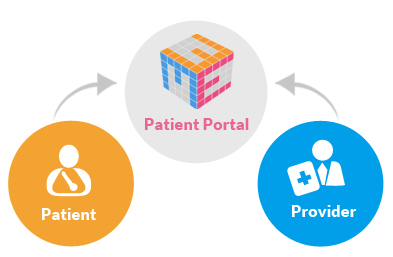
Patient Portals
Memorial Health Care Systems has two unique portals:
- Clinic Patient Portal (Family Medical Centers)
- Hospital Patient Portal (Memorial Hospital)
Patient Portals allow you to access your health information online versus over the phone or in person. You can also view appointments, review your visit history and medical test results.
TO RECEIVE YOUR INVITATION TO REGISTER FOR THIS SERVICE YOU MUST PROVIDE YOUR EMAIL ADDRESS.
To request medical records without a patient portal call:
402-643-4800 for Clinic Medical Records
402-643-2971 for Hospital Medical Records
Clinic Patient Portal
PLEASE NOTE: To register for your clinic patient portal you must:
- Be a patient of the MHCS Family Medical Centers.
- Provide your name, date of birth and email address to clinic staff.
- AWAIT YOUR EMAILED INVITATION and follow the instructions to set up your portal.
- And then you're ready to access your clinic information.
- For questions please contact MHCS Information Systems Department at 402-646-4593.
- Proxy access allows a person to use the patient portal to view another person's information. The use of portal proxy access for a patient is intended to assist and support a patient in managing their medical care. For more information, review our Patient Portal Proxy Access.
- Request your clinic patient records online.
- Pay your bill online.
- If you would like to access your patient portal account using a different mobile app or web service, please contact MHCS Information Systems Department at 402-646-4593.
Hospital Patient Portal
The registration process will require an email for setting up the Hospital Patient Portal. Click on the following line to access a text only version: Web Content Accessibility Guidelines (WCAG).
- Click on the "Enrollment Request" below.
- Complete the Enrollment Questionnaire.
- A one-time user name, password and link to the Portal Access will be sent to your e-mail.
- Access your personal e-mail and click on the message containing the Portal link.
- Enter your one-time user name, password and security question and click "Log On."
- Enter your new user name and explore the Portal!
- For registration questions on the Hospital Patient Portal, please contact MHCS Information Systems Department at 402-646-4593. For medical records, please call 402-643-2971.
- Proxy access allows a person to use the patient portal to view another person's information. The use of portal proxy access for a patient is intended to assist and support a patient in managing their medical care. For more information, review our Patient Portal Proxy Access.
- If you would like to access your patient portal account using a different mobile app or web service, please contact MHCS Information Systems Department at 402-646-4593.